Basic Computer Course for Elderly and Non-Tech Savvy Adults: A Complete Guide to Digital Confidence
Learn Essential Computer Skills at Any Age
Technology has become an important part of everyday life. From online banking and digital payments to video calls with family and accessing healthcare services, computers and smartphones are now essential tools. However, many elderly individuals and non-tech savvy adults often feel overwhelmed by technology and hesitate to use digital devices confidently.
The good news is that learning basic computer skills is easier than ever. With the right guidance, patience, and practical training, anyone can become comfortable using a computer, regardless of age or prior experience.
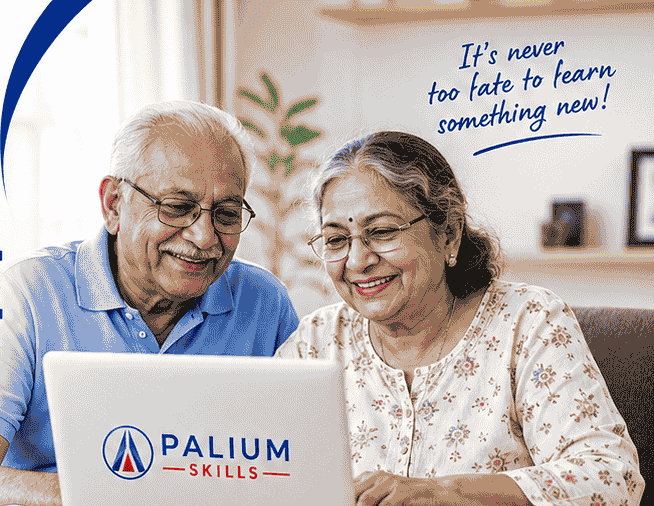
At Palium Skills, we offer a specially designed Basic Computer Course for Elderly and Non-Tech Savvy Adults that focuses on practical, easy-to-understand learning methods. Our goal is to help learners gain confidence and independence in today’s digital world.
Why Learning Basic Computer Skills is Important
Technology is no longer limited to workplaces. Everyday activities now require some level of digital literacy.
Basic computer knowledge can help individuals:
- Communicate with family and friends through video calls
- Access government services online
- Use digital banking safely
- Shop online conveniently
- Book travel tickets and appointments
- Read news and access information
- Manage personal documents
- Learn new hobbies and interests online
For senior citizens, computer literacy can improve quality of life by helping them stay connected and independent.
Common Challenges Faced by Elderly Learners
Many adults who did not grow up with technology often face challenges such as:
Fear of Making Mistakes
Many beginners worry about accidentally deleting files or damaging the computer. A structured training program helps remove this fear by providing guided practice.
Difficulty Understanding Technical Terms
Words like browser, download, cloud storage, and email attachment can seem confusing initially. Simple explanations make learning easier.
Lack of Practice Opportunities
Without proper guidance, many learners struggle to practice regularly. Instructor-led training provides hands-on experience and confidence-building exercises.
Security Concerns
Online scams, phishing emails, and fraudulent websites can be intimidating. Learning digital safety is an essential part of modern computer education.
What You Will Learn in a Basic Computer Course
A beginner-friendly computer course should focus on practical everyday skills rather than technical jargon.
Computer Fundamentals
- Understanding computer components
- Keyboard and mouse usage
- Turning the computer on and off properly
- Basic file management
Windows Operating System Basics
- Navigating the desktop
- Opening and closing applications
- Managing folders and files
- Using system settings
Internet and Web Browsing
- Using search engines effectively
- Visiting websites safely
- Reading news and accessing information
- Downloading files securely
Email Communication
- Creating an email account
- Sending and receiving emails
- Attaching files and photos
- Organizing email folders
Microsoft Office Basics
- Word processing with Microsoft Word
- Creating simple documents
- Basic Excel spreadsheets
- PowerPoint presentations for personal use
Online Communication
- Video calling using Zoom or Google Meet
- WhatsApp Web usage
- Sharing photos and documents
- Connecting with family and friends online
Digital Banking and Payments
- Understanding online banking
- UPI payments
- Mobile wallets
- Online bill payments
- Safe digital transaction practices
Cybersecurity Awareness
- Creating strong passwords
- Recognizing scams
- Protecting personal information
- Safe internet browsing habits
Benefits of a Computer Course for Senior Citizens
Increased Independence
Computer skills enable seniors to perform everyday tasks without depending on others.
Better Communication
Video calling platforms help families stay connected regardless of distance.
Access to Healthcare Services
Many hospitals and clinics now offer online appointments, telemedicine consultations, and digital health records.
Mental Stimulation
Learning new skills keeps the mind active and engaged, which can contribute positively to cognitive health.
Financial Convenience
Digital banking allows seniors to manage finances safely from home.
Why Choose Palium Skills?
At Palium Skills, we understand that learning technology can feel intimidating for beginners. Our training approach is designed specifically to make learning comfortable and stress-free.
Beginner-Friendly Training
We use simple language and practical demonstrations rather than technical terminology.
Small Batch Sizes
Learners receive personalized attention and guidance throughout the course.
Hands-On Learning
Every session includes practical exercises to reinforce learning.
Patient and Experienced Trainers
Our instructors are trained to work with beginners and senior learners, ensuring a supportive learning environment.
Real-Life Applications
The course focuses on everyday activities that learners will actually use in their daily lives.
Who Should Join This Course?
This course is ideal for:
- Senior citizens
- Retired professionals
- Homemakers
- Parents wanting to improve digital literacy
- Adults returning to work
- Individuals with little or no computer experience
- Anyone seeking confidence in using technology
No prior computer knowledge is required.
Career and Personal Growth Opportunities
While many learners join for personal development, basic computer skills can also open doors to:
- Part-time work opportunities
- Freelance assignments
- Administrative support roles
- Small business management
- Online learning and certification programs
Digital literacy is increasingly becoming an essential life skill for everyone.
Final Thoughts
Age should never be a barrier to learning. Whether you want to stay connected with family, manage finances online, access services conveniently, or simply gain confidence with technology, a Basic Computer Course can be a life-changing investment.
At Palium Skills, we are committed to helping elderly learners and non-tech savvy adults build digital confidence through practical, supportive, and easy-to-follow training.
Contact Palium Skills
South Kolkata Centre
1st Floor, Sheeba Bhavan, 1/22 Poddar Nagar (Near South City Mall), Kolkata – 700068
Salt Lake Centre
5th Floor, RDB Boulevard, Block GP, Salt Lake Electronic Complex, Kolkata – 700091
Phone: 9903130500 | 8420594969
Start your digital journey today and discover how technology can make life easier, more connected, and more rewarding.