Power Automate Training in Kolkata – Live Online & Classroom Course
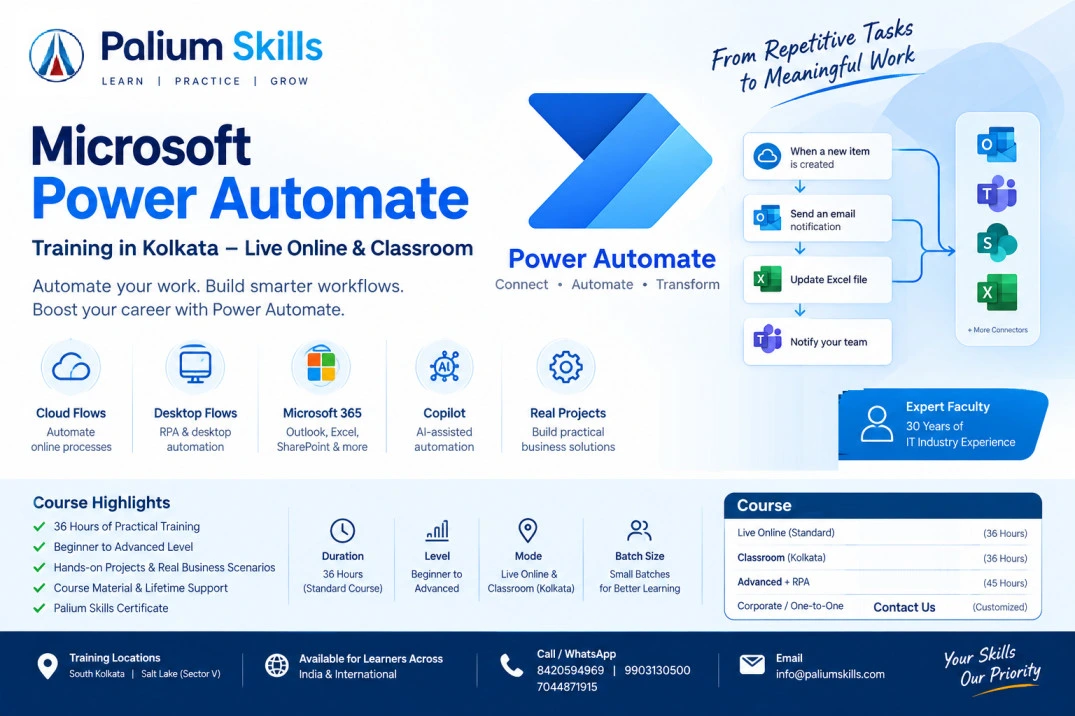
Microsoft Power Automate Training Course is comprehensive with practical, instructor-led training covering cloud flows, desktop automation, RPA, Microsoft 365 integration, approvals, data automation, expressions, troubleshooting, and AI-powered automation with Copilot.
Palium Skills offers
Power Automate Training in Kolkata and Live Online for students, working professionals, business users, analysts, developers, HR professionals, finance professionals, project managers and organizations looking to automate repetitive business processes.
The course combines
Microsoft Power Automate Cloud Flows, Power Automate Desktop, Robotic Process Automation (RPA), Microsoft 365 automation and AI-assisted workflow development with practical business use cases.
To know more about Power Automate read:
What is Power Automate?
Classroom Training: South Kolkata & Salt Lake, Kolkata
Live Online Training: Available for learners across India and internationally
Learning Format: Instructor-led | Practical | Project-oriented | Beginner to Advanced
Power Automate Course in Kolkata
Microsoft Power Automate is a workflow automation platform that can connect applications, services, data and business processes to automate repetitive tasks and workflows.
With Power Automate, learners can create automated, scheduled and instant workflows, automate desktop activities, connect Microsoft 365 applications, build approval processes, work with data, monitor flows and use AI-assisted capabilities.
This
Power Automate course in Kolkata is designed to move beyond basic demonstrations. Learners work with practical automation scenarios that can be applied in HR, finance, sales, administration, operations, reporting, customer service and other business functions.
Power Automate Training Highlights
- Microsoft Power Automate Cloud Flows
- Power Automate Desktop
- Robotic Process Automation (RPA)
- Automated, Instant and Scheduled Flows
- Triggers and Actions
- Microsoft 365 Automation
- Outlook Email Automation
- Excel Automation
- SharePoint and Microsoft Lists Integration
- Approvals and Notifications
- Variables and Expressions
- Conditions and Loops
- Data Transformation
- Connectors
- HTTP and API-based automation
- Error Handling and Troubleshooting
- Flow Monitoring and Optimization
- Desktop Application Automation
- Web Browser Automation
- Cloud Flow and Desktop Flow Integration
- Power Automate with Copilot
- AI-assisted workflow development
- Business Process Automation
- Practical Automation Projects
Course Objectives
The objective of this
Microsoft Power Automate Training is to help learners develop practical skills to identify repetitive business processes and convert them into automated workflows.
After completing the course, learners should be able to:
- Understand the Power Automate platform and its components.
- Identify processes suitable for workflow automation.
- Create automated, instant and scheduled cloud flows.
- Work with triggers, actions and connectors.
- Automate Microsoft 365 business processes.
- Automate Excel and email-based activities.
- Create approval and notification workflows.
- Use conditions, variables, expressions and loops.
- Handle errors and troubleshoot failed flows.
- Monitor and optimize Power Automate workflows.
- Create desktop automation using Power Automate Desktop.
- Automate repetitive Windows and browser-based activities.
- Understand RPA concepts and practical use cases.
- Connect desktop flows with cloud flows.
- Use APIs and HTTP-based integrations where appropriate.
- Explore Copilot-assisted Power Automate development.
- Design practical automation solutions for business processes.
Who Should Join Power Automate Training?
This course is suitable for:
- Students
- Working professionals
- Business analysts
- Data analysts
- MIS professionals
- HR professionals
- Finance professionals
- Operations professionals
- Project managers
- Administrators
- Developers
- Microsoft 365 users
- Power Platform beginners
- RPA aspirants
- Automation professionals
- Professionals looking to improve workplace productivity
No extensive programming background is required for the beginner level. Learners with Excel, Microsoft 365 or business-process experience can particularly benefit from the course.
Prerequisites
Beginner Level
No advanced programming knowledge is required.
Basic familiarity with:
- Windows
- Microsoft Office
- Excel
- Email
- Business processes
is helpful but not mandatory.
Advanced Level
For advanced automation, familiarity with Excel, Microsoft 365, APIs, JSON, programming concepts or business-process analysis can be beneficial.
Why Learn Power Automate?
Organizations increasingly need to reduce repetitive manual work and improve process efficiency.
Power Automate can be used to automate activities involving applications, files, emails, approvals, data and business processes.
Learning Power Automate can therefore be valuable for professionals who want to:
- Reduce repetitive manual work
- Automate routine processes
- Improve productivity
- Build workflow solutions
- Automate Microsoft 365 processes
- Develop RPA solutions
- Improve Excel-based processes
- Create automated approvals
- Move toward low-code automation
- Develop practical AI-assisted automation skills
Power Automate Training in Kolkata
Palium Skills provides
Power Automate classroom training in Kolkata from its South Kolkata and Salt Lake locations.
The training is designed for learners who prefer practical classroom interaction as well as professionals who require flexible scheduling.
South Kolkata Center
1st Floor, Sheeba Bhavan, 1/22 Poddar Nagar
Near South City Mall
Kolkata – 700068
Salt Lake Center
5th Floor, RDB Boulevard
Block GP, Salt Lake Electronic Complex
Kolkata – 700091
Power Automate Live Online Training
Learners outside Kolkata can attend
Power Automate Live Online Training from anywhere in India or internationally.
The online format is suitable for:
- Working professionals
- Students
- Learners from other Indian cities
- International learners
- Corporate teams
- Professionals requiring flexible schedules
The same practical curriculum can be delivered through instructor-led online sessions.
Power Automate Training in India
Palium Skills also offers Power Automate training to learners across India.
The course can be relevant for professionals in:
- Kolkata
- Mumbai
- Delhi
- Bengaluru
- Hyderabad
- Chennai
- Pune
- Ahmedabad
- Gurgaon
- Noida
- Bhubaneswar
- Guwahati
- Other Indian cities
and for learners attending live online classes from outside India.
Career Applications of Power Automate
Power Automate skills can complement roles such as:
- Business Analyst
- Process Analyst
- Automation Analyst
- RPA Developer
- Power Platform Developer
- MIS Analyst
- Data Analyst
- Operations Analyst
- HR Operations Professional
- Finance Operations Professional
- Microsoft 365 Administrator
- Digital Transformation Professional
Power Automate can also complement existing skills in
Excel, Power BI, Microsoft 365, SharePoint, SQL, Python and business analysis.
Faculty – S. Das | Power Automate Trainer
S. Das is an experienced IT industry professional with 30 years of IT industry experience and is the faculty for the Power Automate training program at Palium Skills.
With three decades of exposure to the IT industry, S. Das brings a strong practical and industry-oriented perspective to the training. The Power Automate program is designed to connect the technology with practical business-process automation rather than focusing only on software features.
Experience
S. Das has 30 years of IT industry experience, providing extensive exposure to IT environments, business processes, technology implementation and professional practices.
This industry experience supports a practical approach to teaching automation concepts and helps learners understand how workflow automation can be applied to real business requirements.
Expertise Relevant to Power Automate
The Power Automate training delivered by S. Das covers:
- Microsoft Power Automate fundamentals
- Cloud flows
- Automated, instant and scheduled workflows
- Triggers and actions
- Microsoft 365 automation
- Excel automation
- Outlook and email automation
- SharePoint and Microsoft Lists
- Approval workflows
- Variables, conditions, loops and expressions
- Flow monitoring and troubleshooting
- Power Automate Desktop
- Robotic Process Automation (RPA)
- Browser and desktop automation
- Cloud and desktop flow integration
- Connectors and API-based automation
- Copilot-assisted workflow development
- AI-enabled business automation
- Practical workflow and RPA projects
Industry-Oriented Training Approach
S. Das's training approach emphasizes the connection between business requirements, process analysis and automation implementation.
Learners are encouraged to understand:
- Which business processes are suitable for automation.
- How to identify repetitive manual activities.
- How to design an appropriate workflow.
- How to build and test the automation.
- How to handle exceptions and errors.
- How to monitor and improve automated processes.
- How cloud workflows and desktop RPA can be combined.
Authoritativeness
The course curriculum is structured around Microsoft Power Automate capabilities, including cloud flows, desktop flows, workflow logic, connectors, RPA and AI-assisted automation.
S. Das's 30 years of IT industry experience adds substantial professional context to the delivery of these concepts, particularly for learners seeking to understand how automation can be applied in workplace environments.
Trust
Palium Skills focuses on practical, transparent and application-oriented training. Learners are exposed to demonstrations, exercises and business scenarios so that they can understand both the technology and the reasoning behind an automation solution.
Faculty: S. Das
Industry Experience: 30 Years
Specialization: IT Industry & Business Technology
Training Focus: Microsoft Power Automate, Workflow Automation, RPA and Business Process Automation
Practical Learning Approach
The Power Automate course emphasizes:
- Instructor-led demonstrations
- Hands-on exercises
- Business use cases
- Workflow design
- Automation projects
- Troubleshooting
- Cloud automation
- Desktop RPA
- AI-assisted automation
- Real-world process scenarios
Power Automate Course – Training Modes
Classroom Training in Kolkata
Available at Palium Skills' South Kolkata and Salt Lake centers.
Live Online Training
Attend instructor-led sessions from anywhere in India or outside India.
Weekday & Weekend Options
Batch schedules can be designed for students and working professionals depending on availability.
Power Automate Course Certification
A course completion certificate may be provided by Palium Skills subject to the applicable course and completion requirements.
Learners interested in Microsoft certifications can separately prepare for relevant Microsoft certification pathways based on their career objectives.
Enquire About Power Automate Training
Interested in learning Microsoft Power Automate?
Contact
Palium Skills for current batch schedules, course fees, classroom availability and live online training options.
Call: 8420594969
WhatsApp: 9903130500
Additional Contact: 7044871915
Email: info@paliumskills.com
Website: www.paliumskills.com
Related Courses
Learners interested in automation and Microsoft technologies may also explore: