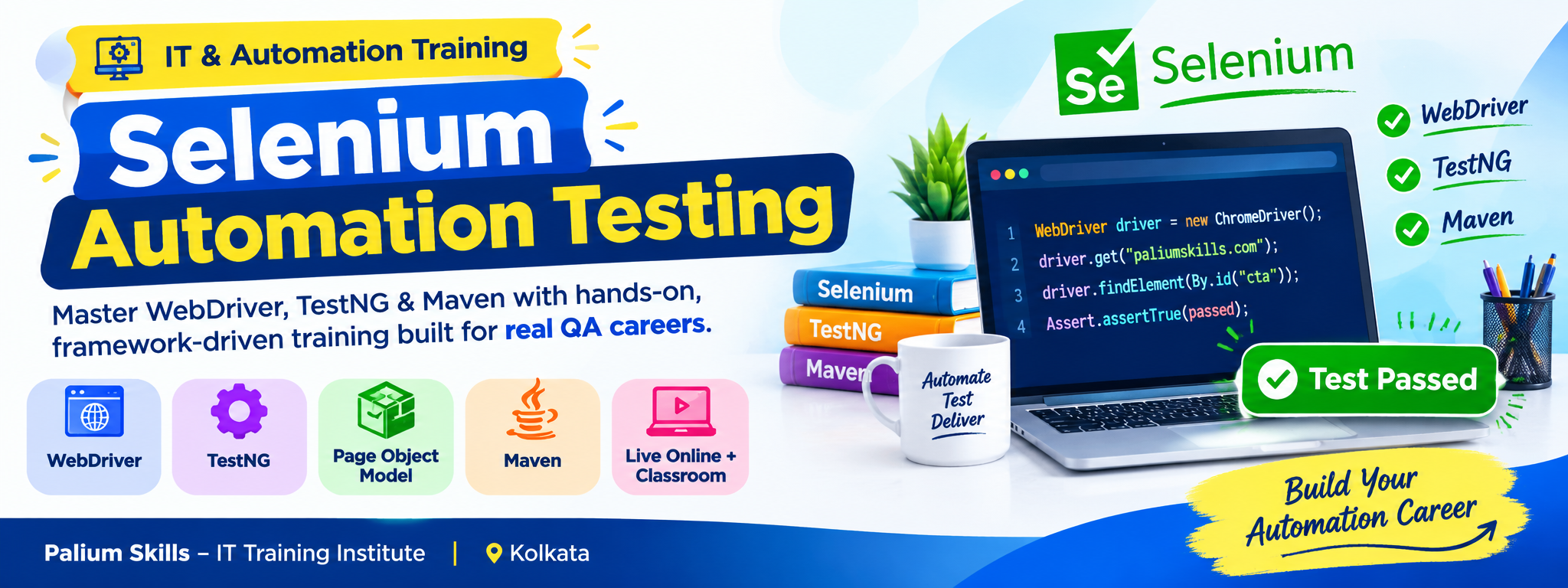
Selenium Testing

Selenium Testing Course in Kolkata & Live Online

Looking for a Selenium Testing Course in Kolkata that provides practical knowledge of web automation testing? Palium Skills offers comprehensive Selenium WebDriver Training in Kolkata and Live Online, designed for students, freshers, manual testers, QA professionals, software testing professionals, developers, and career switchers.

This Selenium Automation Testing Course provides hands-on training in Selenium WebDriver, Java, TestNG, Maven, XPath, CSS Selectors, WebElements, Page Object Model (POM), Data-Driven Testing, Hybrid Frameworks, Selenium Grid, test reporting, and browser automation.

The course is designed to help learners understand the complete process of creating and executing automated tests for web applications. Participants work with practical examples and automation scenarios to develop skills in writing, executing, debugging, maintaining, and organizing Selenium test scripts.

Selenium Testing Course Overview

Selenium is an open-source project for browser automation, with Selenium WebDriver providing a programming interface for controlling supported web browsers. Selenium also includes tools such as Selenium IDE and Selenium Grid for different automation and execution requirements.

At Palium Skills, the Selenium Testing Course in Kolkata focuses on practical automation testing concepts and framework development. Learners are introduced to browser automation, element identification, synchronization, test execution, test frameworks, data-driven testing, reusable automation components, and parallel test execution.

The training combines Selenium WebDriver with Java, TestNG and Maven to help participants understand how automation projects can be structured and maintained in a professional testing environment.

What Will You Learn in Selenium Training?

During this Selenium WebDriver Course, participants learn:

  • Selenium WebDriver fundamentals
  • Selenium 4 concepts and WebDriver architecture
  • Java programming fundamentals for Selenium
  • Object-Oriented Programming concepts required for automation
  • WebElement identification and interaction
  • XPath and CSS Selectors
  • Dynamic web elements
  • Browser commands and navigation
  • Alerts, frames and multiple windows
  • Mouse and keyboard actions
  • Dropdowns, checkboxes and radio buttons
  • File upload automation
  • Screenshots and error handling
  • Implicit and explicit waits
  • TestNG automation framework
  • TestNG annotations and assertions
  • Data Providers and parameterization
  • Test suites and test groups
  • Parallel test execution
  • Maven project management
  • Page Object Model
  • Data-Driven Testing
  • Hybrid Automation Framework
  • Selenium Grid
  • Cross-browser testing
  • Test reporting
  • Automation project structure and maintenance

Selenium WebDriver Training

Selenium WebDriver is the core browser automation component used to control browsers programmatically. It provides a standard interface for browser automation and supports local as well as remote browser execution.

As part of the training, participants learn how to:

  • Create WebDriver sessions
  • Launch and close browsers
  • Navigate web applications
  • Locate and interact with WebElements
  • Automate forms and web controls
  • Handle dynamic elements
  • Use synchronization strategies
  • Work with browser windows and frames
  • Handle JavaScript alerts
  • Perform mouse and keyboard interactions
  • Capture screenshots
  • Execute automated test cases
  • Organize reusable automation code
  • Perform cross-browser testing

Modern Selenium Concepts

The course can also introduce learners to current Selenium capabilities and practices.

Selenium Manager

Modern Selenium includes Selenium Manager, the official driver and browser management tool shipped with Selenium. It can automatically discover and manage browser drivers when required, reducing the need for manual driver setup in many standard environments.

Selenium Grid

Selenium Grid enables WebDriver tests to run on remote machines and supports parallel execution across different browsers and environments.

WebDriver BiDi

Participants can also be introduced to WebDriver BiDi, the W3C bidirectional browser automation protocol being developed by Selenium and browser vendors. It enables browser-event communication for use cases such as network activity, console messages and script-related automation.

Who Should Join This Selenium Course?

This Selenium Testing Training is suitable for:

  • Students
  • Freshers
  • Manual testers
  • QA professionals
  • Software testing professionals
  • Automation testers
  • Developers
  • IT professionals
  • Career switchers
  • Professionals looking to learn test automation

The course is particularly relevant for manual testers who want to develop Selenium automation testing skills and for beginners who want a structured introduction to browser automation.

Selenium Course Prerequisites

Basic computer knowledge is required.

Knowledge of Core Java and Object-Oriented Programming is recommended because the training uses Java for Selenium automation.

Basic software testing knowledge is also beneficial.

Previous Selenium experience is not required for learners starting from the fundamentals.

Selenium Training in Kolkata

Palium Skills provides Selenium Testing Training in Kolkata for learners looking for classroom-based IT training.

The course is designed around instructor-led learning, practical demonstrations, exercises, assessments and doubt-clearing support.

Learners who cannot attend classroom sessions can choose Live Online Selenium Training.

Live Online Selenium Testing Course

The Live Online format allows participants to learn Selenium WebDriver remotely through instructor-led sessions.

The training includes:

  • Live trainer-led classes
  • Practical demonstrations
  • Selenium automation exercises
  • Doubt-clearing support
  • Test framework concepts
  • Practical assignments
  • Course assessment
  • Certificate upon successful completion

Selenium Testing Certification

Participants who successfully complete the applicable course requirements can receive a Palium Skills course completion certificate.

The certificate represents completion of the Palium Skills training program and should not be presented as an external Selenium certification.

Career Opportunities After Selenium Training

Selenium automation skills can be relevant to several software testing and quality assurance roles.

Depending on their overall technical knowledge, experience and employer requirements, learners may explore roles such as:

  • Automation Test Engineer
  • QA Automation Engineer
  • Software Test Engineer
  • Test Automation Engineer
  • QA Engineer
  • Selenium Test Analyst
  • SDET
  • Test Automation Consultant

Selenium should be considered one part of a broader automation testing skill set. Knowledge of programming, software testing, test frameworks, version control, CI/CD and other testing tools can also be valuable depending on the role.

Why Learn Selenium Automation Testing?

Learning Selenium can help you develop practical skills in browser automation and web application testing.

Important areas covered include:

Browser Automation: Automate interactions with web applications.

Regression Testing: Automate repetitive test scenarios that need to be executed regularly.

Cross-Browser Testing: Execute WebDriver tests across supported browser environments.

Test Framework Development: Build structured automation projects using TestNG, Maven and reusable framework components.

Data-Driven Testing: Execute test scenarios using external test data.

Page Object Model: Organize automation code into reusable and maintainable components.

Parallel Testing: Use Selenium Grid to execute tests remotely and in parallel.

Selenium Testing Course Syllabus

Module 1: Introduction to Software Testing and Automation

  • Introduction to software testing
  • Manual testing and automation testing
  • Functional and regression testing
  • Advantages and limitations of test automation
  • Role of automation in software quality assurance
  • Introduction to Selenium
  • Selenium components and ecosystem
  • Selenium WebDriver overview
  • Introduction to Selenium IDE
  • Introduction to Selenium Grid

Module 2: Selenium WebDriver Architecture

  • Introduction to WebDriver
  • WebDriver architecture
  • Browser automation concepts
  • WebDriver commands
  • Browser sessions
  • Browser options
  • Local and remote execution concepts
  • Understanding Selenium 4 and modern WebDriver practices

Selenium WebDriver is based on the W3C WebDriver standard and provides a browser automation interface for supported browsers.

Module 3: Selenium Environment Setup

  • Java installation and configuration
  • Eclipse IDE setup
  • Selenium project creation
  • Selenium dependencies
  • WebDriver configuration
  • TestNG integration
  • Maven project setup
  • Running the first Selenium automation script

Module 4: Locator Techniques

  • Understanding locators
  • ID locator
  • Name locator
  • Class Name locator
  • Tag Name locator
  • Link Text
  • Partial Link Text
  • XPath
  • CSS Selector
  • Relative XPath
  • XPath functions
  • Handling dynamic elements
  • Choosing reliable locators
  • Practical locator exercises

Module 5: Selenium WebDriver Commands

  • Opening web pages
  • Browser navigation
  • Browser window management
  • WebElement commands
  • Text field automation
  • Buttons and links
  • Checkboxes
  • Radio buttons
  • Dropdowns
  • Alerts
  • Frames
  • Multiple windows
  • Cookies
  • Mouse hover
  • Drag and drop
  • Keyboard actions
  • Screenshots
  • File upload automation
  • Custom WebDriver methods

Module 6: Synchronization and Waits

  • Understanding synchronization problems
  • Implicit waits
  • Explicit waits
  • Fluent wait concepts
  • Expected Conditions
  • Handling dynamic web elements
  • Improving test stability
  • Practical synchronization examples

Module 7: TestNG Framework

  • Introduction to TestNG
  • TestNG installation and configuration
  • TestNG annotations
  • Test cases
  • Test suites
  • Assertions
  • Data Providers
  • Parameterization
  • Grouping test cases
  • Test dependencies
  • Parallel execution
  • Test execution configuration
  • Test reporting

Module 8: Data-Driven Testing

  • Introduction to Data-Driven Testing
  • External test data
  • Reading test data from Excel
  • Writing test results to Excel
  • Data Providers
  • Parameterized test execution
  • Managing reusable test data
  • Practical Data-Driven Testing exercises

Module 9: Page Object Model

  • Introduction to Page Object Model
  • Advantages of POM
  • Creating page classes
  • Creating reusable methods
  • Page Factory concepts where applicable
  • Organizing automation code
  • Improving maintainability
  • Developing a structured Page Object Model framework

Module 10: Hybrid Automation Framework

  • Introduction to Hybrid Framework
  • Framework architecture
  • Combining POM and Data-Driven Testing
  • TestNG integration
  • External configuration
  • Excel data
  • XML configuration
  • Property files
  • Reusable utilities
  • Screenshot handling
  • Test execution
  • Test reporting
  • Framework maintenance

Module 11: Maven for Selenium Projects

  • Introduction to Maven
  • Maven project structure
  • POM.xml
  • Dependencies
  • Plugins
  • Build lifecycle
  • Running Selenium tests through Maven
  • Managing project dependencies
  • Integrating Maven with TestNG

Module 12: Selenium Grid and Parallel Testing

  • Introduction to Selenium Grid
  • Distributed test execution
  • Running tests across different browsers
  • Parallel execution concepts
  • Remote WebDriver
  • Test execution across multiple environments

Selenium Grid is designed to support running tests across multiple machines and environments, including different browser and operating-system combinations.

Practical Selenium Automation Projects

The course includes practical exercises designed to help participants apply Selenium concepts to web application testing scenarios.

Project activities may include:

  • Creating Selenium WebDriver test cases
  • Automating login and registration workflows
  • Automating form validation
  • Testing navigation and web controls
  • Handling dynamic web elements
  • Creating reusable automation functions
  • Developing TestNG test suites
  • Implementing Data-Driven Testing
  • Creating Page Object Model structures
  • Building a Hybrid Automation Framework
  • Generating test reports
  • Capturing screenshots for failed tests
  • Running tests across multiple browsers
  • Executing tests using Maven
Course NameDelivery ModeFeeSpecial Offer
Selenium Webdriver Classroom Rs. 18,000 (includes GST)Discount for One time payment/ 3+ enrollments, Intallment option available
Selenium + Manual Testing Classroom Rs. 21,000 (includes GST) Discount for One time payment/ 3+ enrollments, Intallment option available
Selenium WebDriver Testing Online Live Trainer Rs. 16,000 (includes GST)Discount for One time payment/ 3+ enrollments, Intallment option available
Selenium + Manual Testing Online Live Trainer Rs. 18,000 (includes GST) Discount for One time payment/ 3+ enrollments, Intallmentavailable

Anyone looking to start or grow a career in automation testing — freshers, manual testers upskilling, developers, and career switchers into IT. No prior automation experience is required.

Basic knowledge of Core Java and OOPs concepts is recommended, since Selenium WebDriver scripts are written in Java. Palium Skills offers a separate Core Java course if you need this foundation first.

Basic computer knowledge, familiarity with Core Java, an understanding of OOPs concepts, and a basic grasp of manual testing concepts.

It's completely hands-on. The trainer demonstrates each concept live, and participants practice the same on their own system in real time.

Selenium WebDriver, Selenium Grid, Selenium IDE, TestNG, Maven, Eclipse, Java, and framework concepts like Page Object Model and Data-Driven Testing.

The course covers this comparison in detail, including WebDriver's architecture advantages over the older Selenium RC approach, as part of the foundational modules.

Yes, participants receive Yes, you'll learn to run and validate automated tests across Chrome, Firefox, and Internet Explorer.a certificate after completing the course provided they have attended 90% of the class.

Yes — the course covers Data-Driven Framework, Page Object Model, and Hybrid Framework design using Excel, XML, and property files, along with reading and generating test reports.

Yes, including TestNG installation and configuration with Eclipse, annotations, data providers, test suite creation, parallel execution, grouping, assertions, and verifications.

Yes, Maven is covered as the build management tool used alongside TestNG for structuring and running your test framework.

Classroom training is offered in Kolkata, Chennai, Bangalore, Mumbai, and NCR, with international batches in Dhaka, Thimpu, Singapore, Kuala Lumpur, the Middle East, Africa, and Australia. Live online batches are open to learners from anywhere.

The course is delivered via Regular Classroom, Fast-Track, and Online Live Trainer formats, so you can pick what fits your schedule.

Once you enroll, you'll be guided on system access, and the team will help with all required software installation before classes begin.

You can note down your doubts and schedule a prior appointment with the trainer to get them cleared.

No, there's no external certification exam for this course.

Yes — a Palium Skills completion certificate is issued to participants who attend at least 90% of the classes.

Fees start at ₹16,000 (incl. GST) for Online Live Selenium WebDriver training, going up to ₹21,000 for classroom-based Selenium + Manual Testing combined tracks. Discounts are available for one-time payment and group enrollments of 3 or more, and installment options are offered.

The Selenium WebDriver track focuses purely on automation testing skills, while the Selenium + Manual Testing track is a more intensive combined program for those pursuing a full-time career in software testing.

Yes, placement assistance is provided to help you find automation testing job opportunities after completing the course.

Yes — Selenium remains one of the most widely used open-source tools for web automation testing and continues to appear frequently in QA and SDET job postings across industries.

Yes, the course is designed to take learners from testing fundamentals onward, making it accessible to non-IT and career-switcher backgrounds, though basic computer literacy is expected.

A Few Things You’ll Love!

  • Experienced Training Partner
  • Certified & Industry Expert Trainers
  • Multiple Training Delivery Models
  • Customized
    Course
  • 24/7 e-Learning Access
  • Assessments and Mock Tests
  • Placement Assistance
Training Calendar
Whatsapp Logo