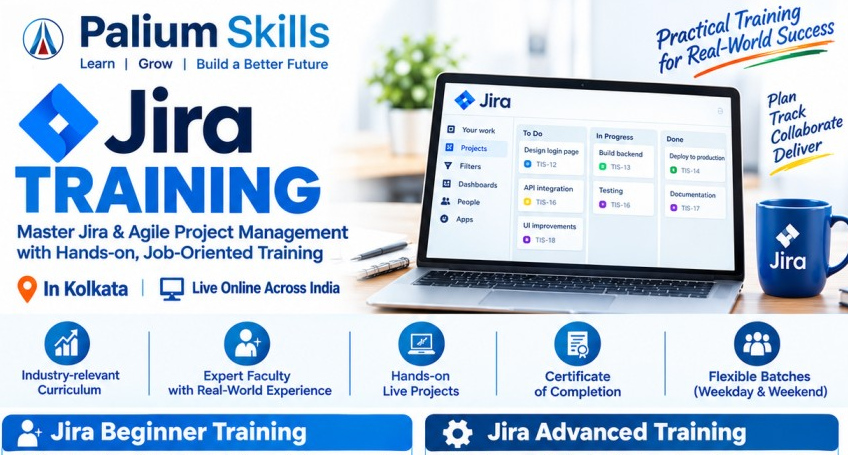
Jira Training in Kolkata – Beginner to Advanced Jira Course
Palium Skills offers practical Jira Training in Kolkata and Live Online, designed for beginners, working professionals, project teams, software professionals, business analysts, QA professionals, Scrum teams and aspiring project managers. The course provides hands-on experience with
Jira Software, Agile project management, Scrum, Kanban, issue tracking, workflows, dashboards, reports and Jira administration.
Whether you are completely new to Jira or want to improve your professional Jira skills, this course takes you from
basic Jira usage to advanced project and workflow management through practical exercises and real-world scenarios.
Why Learn Jira?
Jira is widely used by Agile and software development teams to plan work, manage issues, track projects, organize sprints and monitor team performance.
Learning Jira can help professionals:
- Manage Agile and Scrum projects
- Create and track tasks, bugs and user stories
- Plan and manage sprints
- Build Scrum and Kanban boards
- Create customized workflows
- Track project progress
- Generate Agile reports and dashboards
- Manage priorities, versions and releases
- Improve team collaboration and visibility
- Support software testing and defect management
- Work effectively with distributed and remote teams
Jira Course Highlights
- Beginner to Advanced Jira Training
- Jira Software fundamentals
- Agile and Scrum project management
- Scrum and Kanban boards
- Epic, Story, Task and Bug management
- Backlog management
- Sprint planning and execution
- Issue types and priorities
- Jira workflows
- Custom fields and screens
- Dashboards and reports
- Filters and JQL
- User and project permissions
- Versions and releases
- Automation concepts
- Real-world Agile project exercises
- Practical assignments and case studies
- Classroom and Live Online Jira Training
- Weekday and weekend batches
- Beginner-friendly learning approach
About the Trainer
Jira Trainer – Mr. A. Sarkar
Mr. A. Sarkar is an experienced professional trainer at Palium Skills who conducts Jira training in Kolkata and Live Online Jira training for beginners, working professionals and project teams. His training approach combines Jira concepts with practical application, helping learners understand how Jira is used for Agile project management, Scrum, Kanban, issue tracking, workflow management, sprint planning, reporting and team collaboration.
Mr. Sarkar focuses on practical, job-oriented learning rather than purely theoretical instruction. Participants are guided through Jira's interface and core features using hands-on exercises and realistic project scenarios. The training covers areas such as Jira project setup, issue and defect management, Scrum and Kanban boards, workflows, JQL, filters, dashboards, reports and Jira automation.
His training methodology is designed to help learners progress from Jira fundamentals to advanced usage, making the program suitable for professionals from project management, software development, QA/testing, business analysis and Agile/Scrum environments.
At Palium Skills, Mr. Sarkar's Jira sessions emphasize:
- Practical, hands-on Jira learning
- Agile, Scrum and Kanban concepts
- Jira project and issue management
- Workflow and board configuration
- JQL, filters, dashboards and reports
- Sprint and backlog management
- Jira administration fundamentals
- Jira automation and practical use cases
- Real-world project-based exercises
- Guidance for beginners as well as experienced professionals
Learners can attend
Jira classroom training in Kolkata at Palium Skills' training centres or choose
Live Online Jira training from anywhere in India or internationally.
Jira Training Curriculum
Module 1: Introduction to Jira
- What is Jira?
- Jira Software overview
- Jira and Agile project management
- Jira terminology
- Projects and project types
- Jira interface and navigation
- Issues and issue lifecycle
- Jira Cloud overview
Module 2: Agile and Scrum Fundamentals
- Agile methodology
- Scrum framework
- Scrum roles
- Product Owner, Scrum Master and Development Team
- Product backlog
- Sprint backlog
- User stories
- Acceptance criteria
- Epics
- Tasks and bugs
- Sprint planning
- Daily Scrum
- Sprint review
- Sprint retrospective
Module 3: Jira Project Setup
- Creating a Jira project
- Project configuration
- Project templates
- Project roles
- Issue types
- Issue priorities
- Components
- Versions and releases
- Project settings
Module 4: Issue and Defect Management
- Creating issues
- Editing issues
- Assigning issues
- Issue status
- Priority management
- Attachments and comments
- Labels
- Linking issues
- Parent-child relationships
- Duplicate and related issues
- Bug tracking
- Defect lifecycle
Module 5: Scrum Board
- Creating Scrum boards
- Backlog management
- Creating and managing sprints
- Sprint planning
- Moving issues between workflow stages
- Sprint execution
- Completing a sprint
- Managing incomplete issues
- Scrum board configuration
Module 6: Kanban Board
- Kanban fundamentals
- Creating Kanban boards
- Columns and workflow stages
- Work-in-progress concepts
- Managing Kanban tasks
- Board configuration
- Monitoring team workload
Module 7: Jira Workflows
- Understanding Jira workflows
- Statuses
- Transitions
- Workflow conditions
- Validators
- Post functions
- Workflow customization
- Designing practical workflows
- Workflow schemes
Module 8: JQL – Jira Query Language
- Introduction to JQL
- Basic searches
- Advanced searches
- Searching by project
- Searching by status
- Searching by assignee
- Searching by priority
- Date-based searches
- Using AND / OR conditions
- Saving filters
- Sharing filters
- Practical JQL exercises
Module 9: Jira Dashboards and Reports
- Creating dashboards
- Dashboard gadgets
- Sharing dashboards
- Agile reports
- Sprint reports
- Burndown charts
- Velocity reports
- Cumulative flow
- Created vs. resolved issues
- Workload monitoring
- Project reporting
Module 10: Jira Administration
- User management concepts
- Groups
- Project roles
- Permissions
- Permission schemes
- Notification schemes
- Issue type schemes
- Workflow schemes
- Screen schemes
- Custom fields
- Field configurations
Module 11: Jira Automation
- Introduction to Jira automation
- Automation rules
- Triggers
- Conditions
- Actions
- Automated issue updates
- Notifications
- Practical automation scenarios
Module 12: Real-World Jira Project
Participants work on a practical project covering:
Requirement → Epic → User Stories → Tasks → Bugs → Backlog → Sprint → Scrum Board → Workflow → Testing → Reports → Release
This helps participants understand how Jira is used in an actual Agile project rather than learning only individual features.
Advanced Jira Training
For professionals who already know the basics, the advanced module can focus on:
- Advanced JQL
- Complex workflows
- Workflow schemes
- Custom fields
- Screens and screen schemes
- Permission management
- Notification schemes
- Advanced dashboards
- Jira automation
- Agile reporting
- Project configuration
- Jira administration
- Team-level Jira practices
- Enterprise-oriented Jira concepts
Who Should Join This Jira Course?
The Jira training program is suitable for:
- Beginners
- Software developers
- Software testers and QA professionals
- Business analysts
- Project managers
- Scrum Masters
- Product Owners
- Agile professionals
- DevOps professionals
- IT professionals
- Technical leads
- Project coordinators
- Professionals moving into Agile roles
- Students and freshers interested in Jira and Agile project management
Jira Course for Beginners
No prior Jira experience is required for the beginner-level program. Participants start with Jira fundamentals and gradually progress to practical Agile project management.
The training emphasizes
learning by doing, allowing beginners to create projects, manage issues, configure boards, work with backlogs and participate in simulated sprint activities.
Jira Training for Working Professionals
Palium Skills provides flexible Jira training options for working professionals, including
weekday and weekend batches and
Live Online training.
The course can also be structured around specific professional requirements, such as:
- Jira for Scrum Masters
- Jira for Project Managers
- Jira for Business Analysts
- Jira for QA/Testers
- Jira for Agile teams
- Jira administration
- Jira workflow management
- Jira reporting and dashboards
Practical Jira Projects
Practical exercises are an important part of the training. Participants can work with scenarios such as:
Software Development Project
Requirement → Epic → User Story → Task → Development → QA → Bug → Retesting → Sprint → Release
Agile Project Management
Product Backlog → Sprint Planning → Sprint Execution → Daily Tracking → Sprint Review → Retrospective → Reporting
These exercises help participants understand how Jira fits into the complete Agile project lifecycle.
Jira Training in Kolkata
Palium Skills offers
Jira Training in Kolkata for students, IT professionals, software teams and working professionals.
Training is available through:
- Classroom training
- Live Online training
- Weekday batches
- Weekend batches
- Customized corporate training
The training can be attended from the
South Kolkata and Salt Lake/Sector V locations, as well as online from anywhere in India or internationally.
Jira Corporate Training
Palium Skills can also conduct customized
Jira corporate training for organizations and project teams.
Corporate programs can be customized around:
- Current Jira implementation
- Agile/Scrum processes
- Jira workflows
- Project configuration
- Defect tracking
- Reporting
- Dashboards
- JQL
- Jira administration
- Team-specific use cases
Jira Course Prerequisites
Beginner level: No prior Jira experience is required.
Basic computer knowledge and an understanding of software projects are helpful but not mandatory.
Advanced level: Basic knowledge of Jira, Agile or Scrum is recommended.
Jira Training Certification
Participants can receive a
course completion certificate from Palium Skills, subject to successful completion of the applicable training requirements.
This is a Palium Skills course completion certificate and should not be confused with an official Atlassian certification.
Why Choose Palium Skills for Jira Training?
- Practical, hands-on learning
- Beginner-to-advanced course structure
- Industry-oriented examples
- Experienced professional trainers
- Real-world Agile project exercises
- JQL and reporting practice
- Workflow and administration concepts
- Classroom and Live Online options
- Weekday and weekend batches
- Training for individuals and corporate teams
- Flexible course customization
Career Opportunities After Jira Training
Jira skills can complement roles such as:
- Jira Administrator
- Scrum Master
- Agile Project Coordinator
- Project Manager
- Business Analyst
- QA/Test Engineer
- Software Developer
- Product Owner
- Agile Team Member
- DevOps Professional
Jira is generally used as a
professional productivity and project-management skill alongside a person's core technical or functional expertise, rather than as a standalone career qualification.
Related Courses:
Project Management - PMP
Prince2 Project Management
PSM 1 - Professional Scrum Master
Primavera P6 - Project Scheduling Tool
MS Project Plan - Project Scheduling Tool
| Course Name | Delivery Mode | Fee | Special Offer |
|---|
| Jira Beginners Training | Live Online / Classroom | ₹12,000 | Duration: 16 hours |
| Jira Advanced Training | Live Online / Classroom | ₹18,000 | Duration: 16 hours |
Jira training teaches participants how to use Jira for Agile project management, issue tracking, Scrum, Kanban, workflows, reporting, dashboards and project administration.
Yes. Jira can be learned by beginners, particularly when training starts with basic navigation, projects and issue management before progressing to Agile boards, workflows, JQL and administration.
No. Programming knowledge is not required for basic Jira usage. Some advanced automation or integration scenarios may benefit from technical knowledge.
Yes. Jira provides features for backlog management, sprint planning, Scrum boards, issue tracking and Agile reporting, making it a useful tool for Scrum teams.
Yes. QA professionals can use Jira to report, track and manage defects and collaborate with development teams throughout the testing lifecycle.
Yes. Palium Skills offers Jira training in Kolkata through classroom and Live Online modes.
Yes. Weekday and weekend training options can be offered for working professionals.
Yes. Corporate Jira training can be customized according to the organization's Agile processes, Jira configuration and team requirements.
Palium Skills provides a course completion certificate where applicable. The Palium Skills certificate is separate from any official Atlassian certification.